Section: 1.-2. Workflow overview and description | Biotope - Cumulative IMPacts of invasive ALien species (CIMPAL) version | LifeWatch ERIC Training Platform

Main course page
  • Biotope - Cumulative IMPacts of invasive ALien species (CIMPAL) version

    What this tutorial is about
    This tutorial will guide you during the use of the CIMPAL (Cumulative IMPacts of invasive ALien species) version of the Biotope vulnerability Workflow, which assesses the habitat vulnerability to the introduction and establishment of Invasive Alien Species (IAS) and the cumulative effects of their negative impacts. The tutorial will clarify how to prepare the input data, as well as the step-by-step use of the workflow.

    About the workflow
    You can access the workflow through My Lifewatch Platform at  https://my.lifewatch.eu under LifeWatch ERIC Products/ LifeWatch VREs/ Biotope/  Run a new workflow/ CIMPAL.
    For further information regarding the overall initiative that leaded to the design of the validation cases and the development of the workflows, please consult  the LifeWatch Internal Joint Initiative dedicated platform: https://www.lifewatch.eu/internal-joint-initiative/workflows/.

    Get in touch with the scientific team

    Heliana TeixeiraHeliana Teixeira, CESAM Centre for Environmental and Marine Studies, Biology Department, University of Aveiro


    Julien RadouxJulien Radoux, UCLouvain 


1.-2. Workflow overview and description

  • 1.-2. Workflow overview and description

    Once you have chosen the CIMPAL version of the workflow, you will be redirected to the workflow overview, where you will find the workflow schematics (Fig. 3).
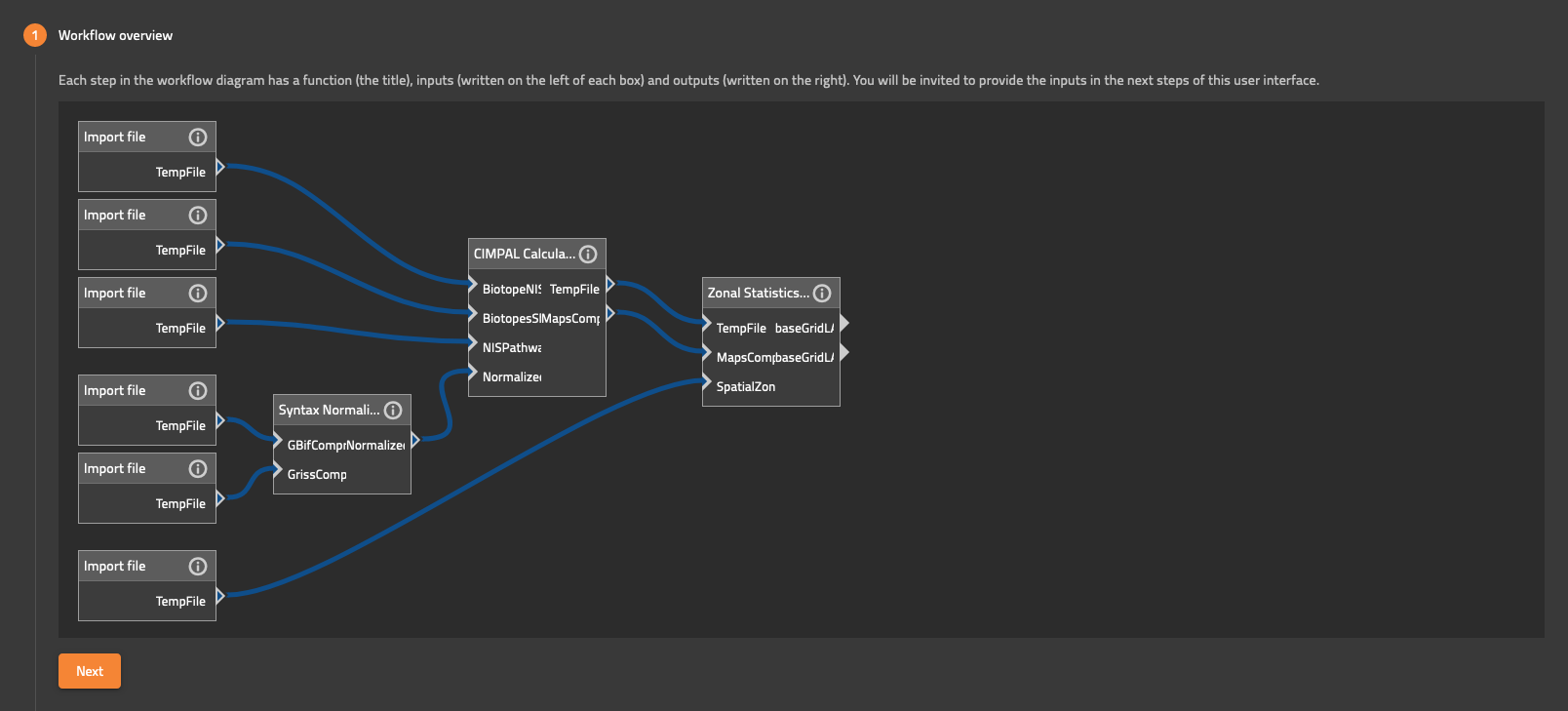
    CIMPAL workflow overview

    Fig. 3. Workflow overview

    To advance, please press ‘Next’.

    Type a word or phrase that helps you remember and find back the workflow you are about to run. Your workflow will be stored under this name in your dashboard (Fig. 4).
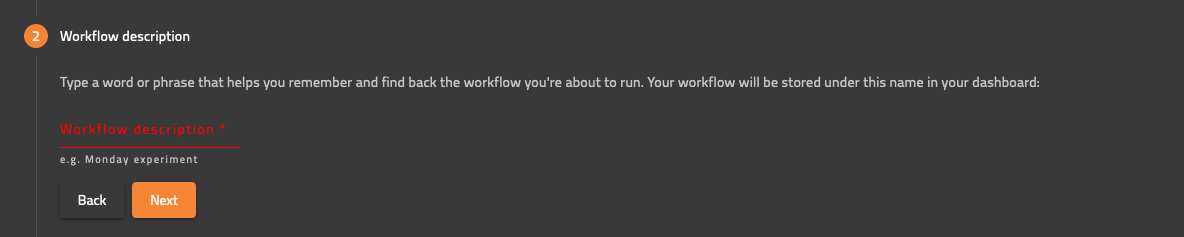
    workflow description

    Fig. 4. Workflow description prompter.