3. to 6.- Import File
Section: 3. to 6.- Import File | AGROECOLVRE - Soil and subsoil carbon sequestration metadata analysis as a function of land uses and agroecological practices | LifeWatch ERIC Training Platform
-
In this phase, you will need to select the four files required to run the workflow. The system will display the VRE folders containing Public available Data by default on the left; as first locate and click on the 'Lucas_Soil' folder. The other available options, 'My private data' and 'My FAIR data', allow you to choose from your own databases uploaded to the My LifeWatch ERIC system. If they comply with the LUCAS syntax, you will be able to import and analyze them.
Find the file that matches the name shown in the 'Input Name' field at the center of the screen to upload the anonymized/simulated datasets.; the name will end with '_anonym'. The first file to locate is 'LUCAS-SOIL-2018', so you will need to find 'LUCAS-SOIL-2018_anonym.csv' in the scrollable list on the left and click it (Fig. 7).
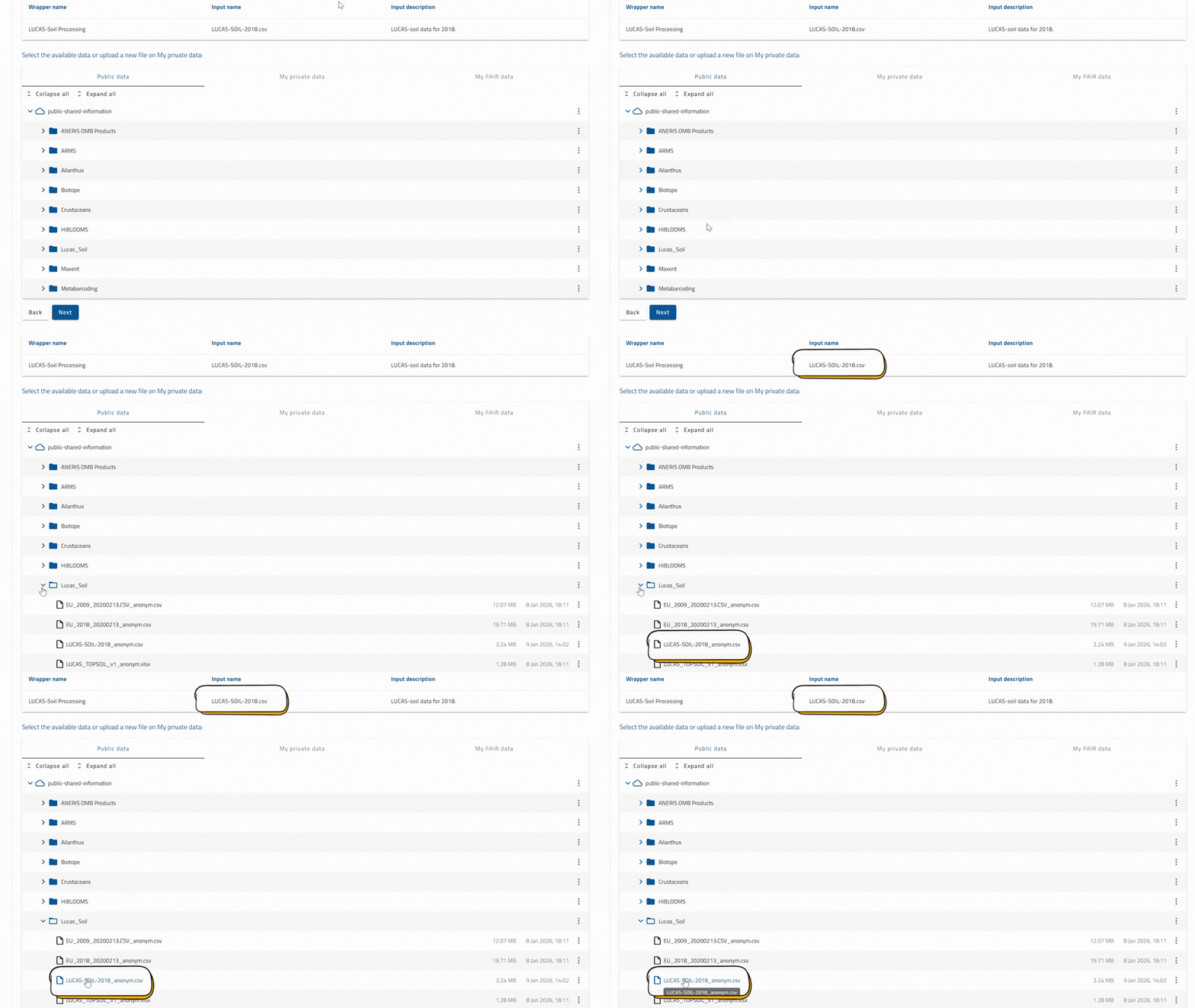
Fig. 7. Select a file to load into the VRE
NOTE: Please remember that files labelled with 'anonym' contain LUCAS anonymized/simulated datasets already uploaded in the VRE.
If you want to verify that the import files have been uploaded, you can go back to the specific upload step. If it has been uploaded successfully, the file will be highlighted in green, and its path within the VRE will appear at the bottom of the box (Fig. 8).
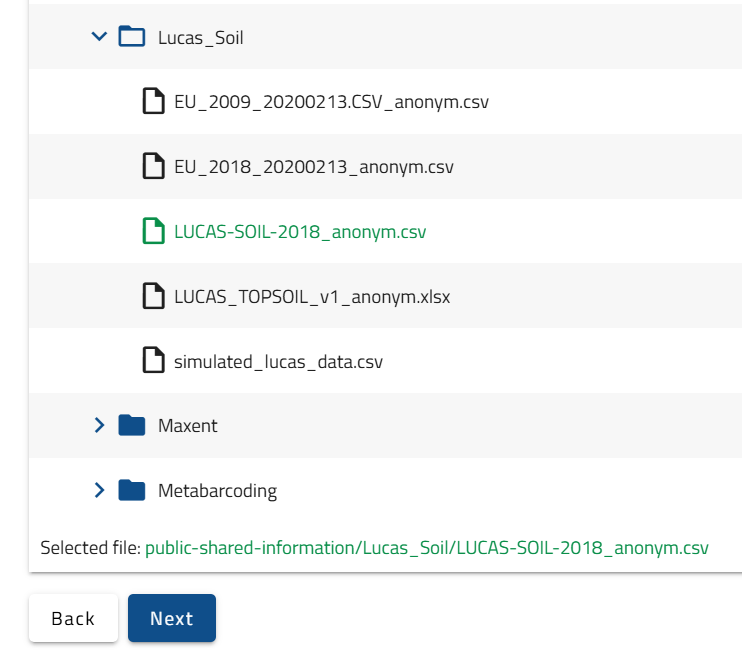
Fig. 8. File import verification.
IMPORTANT: Repeat this process in the next three ‘Import file’ steps to import the required files for the workflow selecting in order:
• 'LUCAS_TOPSOIL_v1 anonym.xlsx' in step 4;
• 'EU_2009_20200213.CSV_anonym.csv' in step 5;
• 'EU_2018_20200213_anonym.csv' in step 6.