4. Preview Screen
Section outline
-
When clicking on "Next", you are redirected to the preview screen. Select the column names from the data format term that correspond to your columns. In the example below a list with coordinates (data file = 2 columns containing latitude and longitude) was uploaded and the requested data service was "Bathymetry Southern Bight of the North Sea". The options "Latitude" and "Longitude" were selected from the data format term.
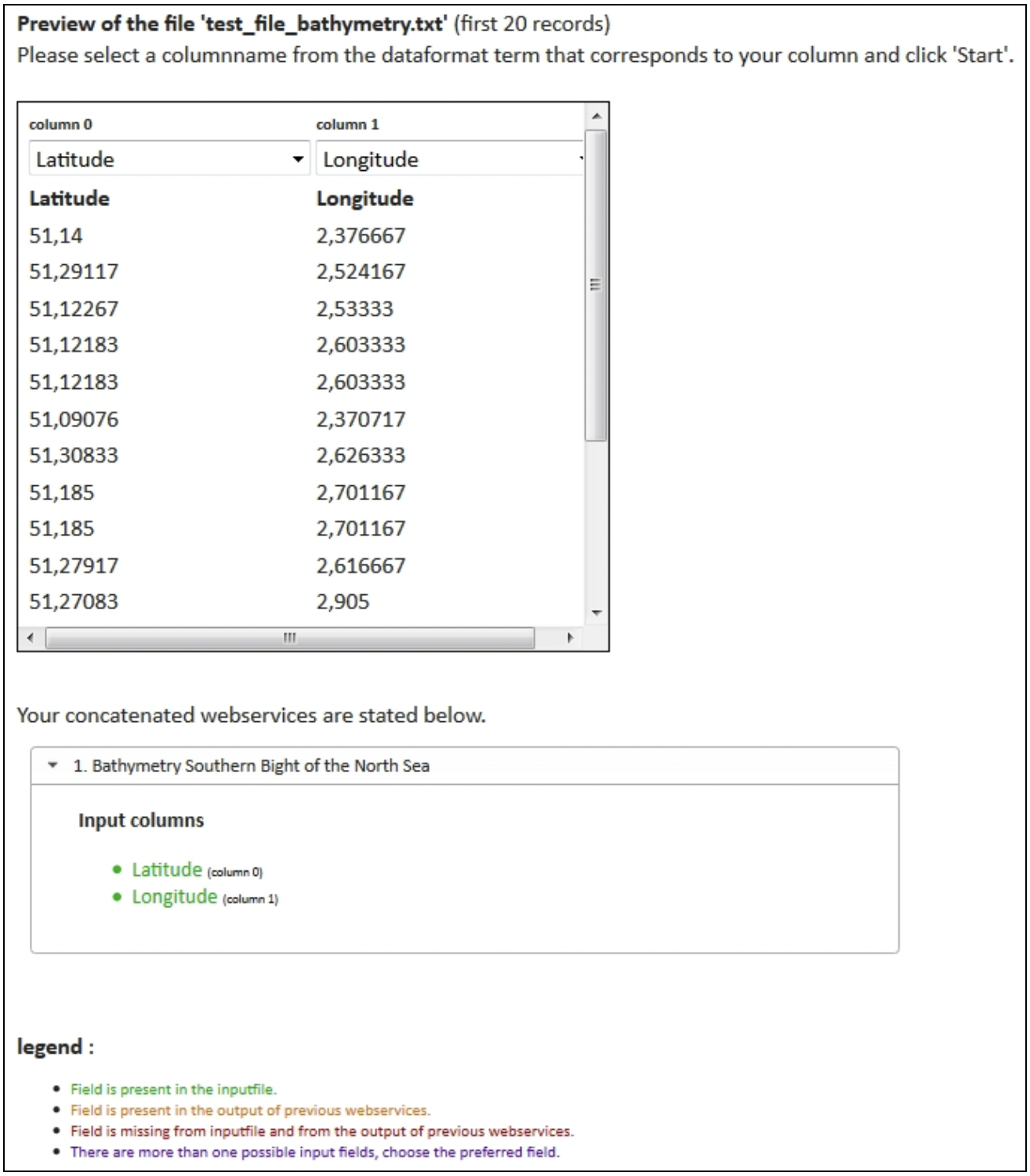
In the lower section of the preview screen, you can find information about duplicate or missing fields per requested web service.
Duplicate fields can occur in case of concatenated web services: the field is present in the original uploaded data file (the input file), and the field is also generated by a previous web service. Choose the correct field.