4. Preview Screen
Section outline
-
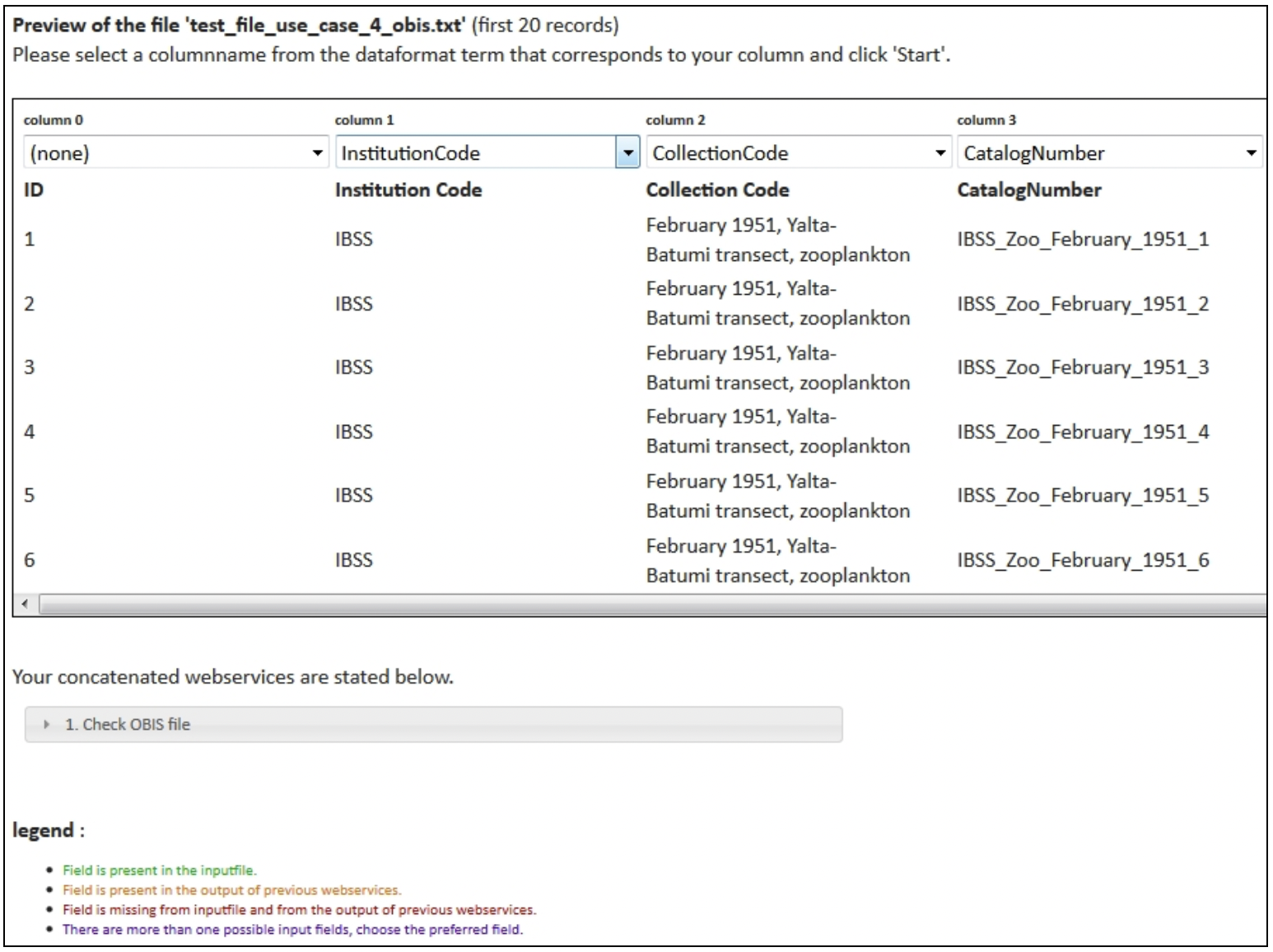
When you click "Next", you are redirected to the preview screen. Make sure that every column name from the uploaded file corresponds with a column name from the pick list.
For web service 'Check OBIS file':
For web services 'Data format validation', 'Show on map' and 'Taxon match WoRMS':
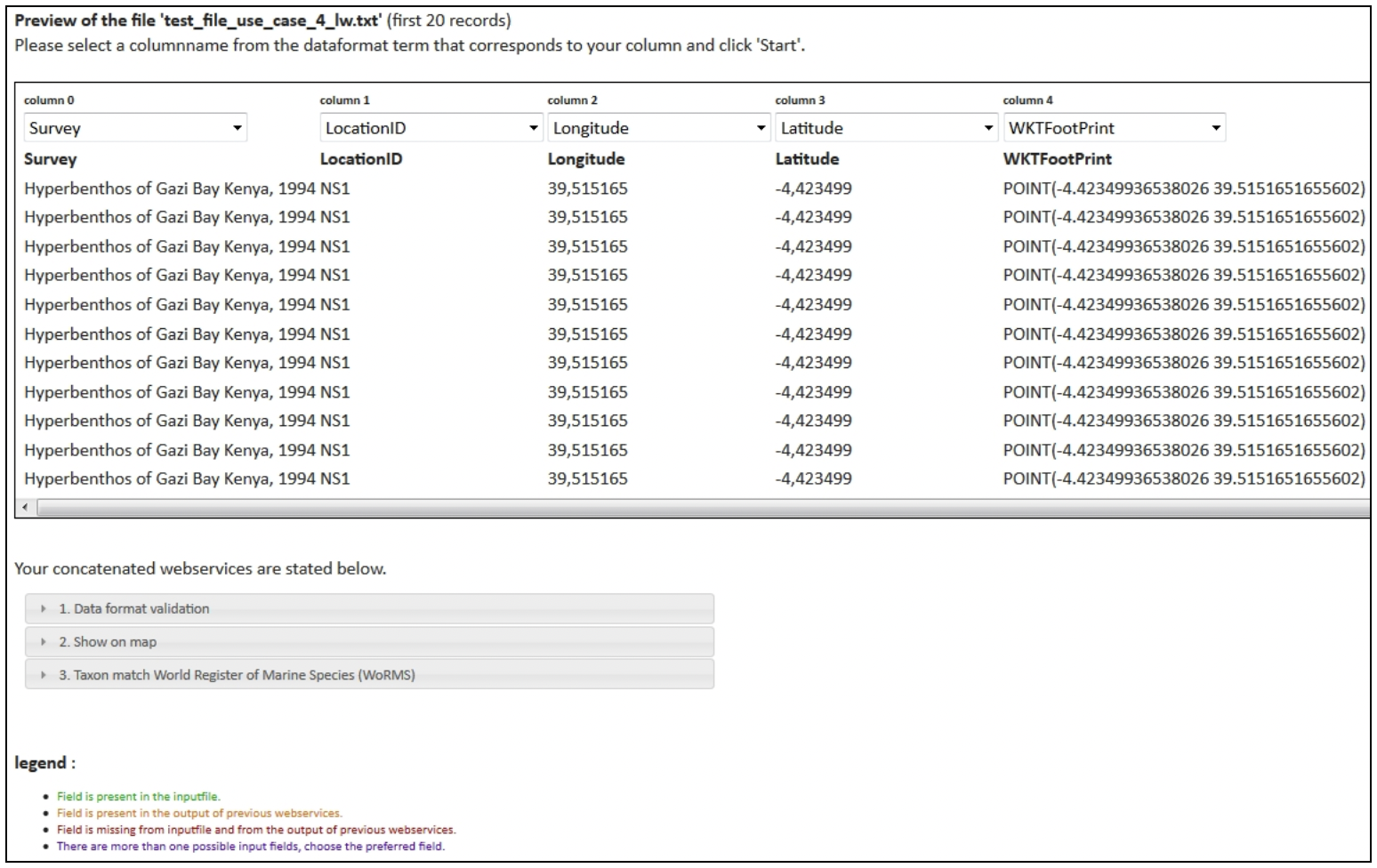
In the lower section of the preview screen, you can find information about duplicate or missing fields per requested web service. Check for every web service if the required fields are present in the input file or will be generated by a previous web service.