LifeWatch Belgium e-Lab: Marine Species Observations in 1000M Radius Around Observation Points
Section outline
-
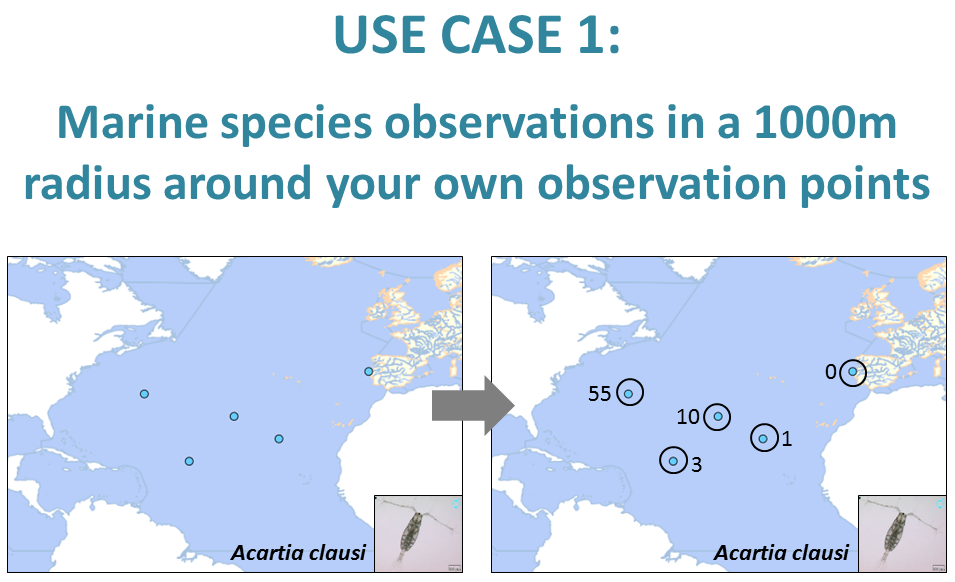
This use case demonstrates how to upload a list with your own marine species observations in order to know how many times these species were already observed in a 1.000 meter radius around your observation points (based on OBIS).
It combines two web services in a fixed order: 1. Taxon match and 2. Number of observations in a 1000m radius around a point.
1. The web service 'Taxon match' matches the marine species names to the World Register of Marine Species (WoRMS). If a species name is available in WoRMS, this web service renders its AphiaID (a unique identifier of Aphia, the database behind WoRMS), its status (accepted or unaccepted) and its accepted name. This output information is added as extra columns to the original input file.
[NOTE: the taxon match can also match taxon names to other taxonomic databases and nomenclatures, such as e.g. Catalogue of Life (CoL), the Integrated Taxonomic Information System (ITIS), etc. For this use case we only select WoRMS, since the uploaded list contains purely marine species.]
2. The web service 'Number of observations in a 1000m radius around a point' defines a radius of 1000m around the uploaded observation points. Based on the AphiaID generated by the taxon match, this web service determines the observation records for the species in the Ocean Biodiversity Information System (OBIS), in this specific radius. This number of observations is added to the input file as an extra column.
-
The input file is a text file containing three columns: ScientificName, Latitude, and Longitude.
-
-
To successfully run the use case you must follow these 5 steps:
- Upload your file
- Select web services
- Verify order, Change order (if necessary), and Run
- Preview Screen
- Getting the Results
Check out the instructions for each single step in the next blocks.
-
Upload your data file and select the relevant row and column delimiter and decimal symbol. Select "lifewatch" for data format.

-
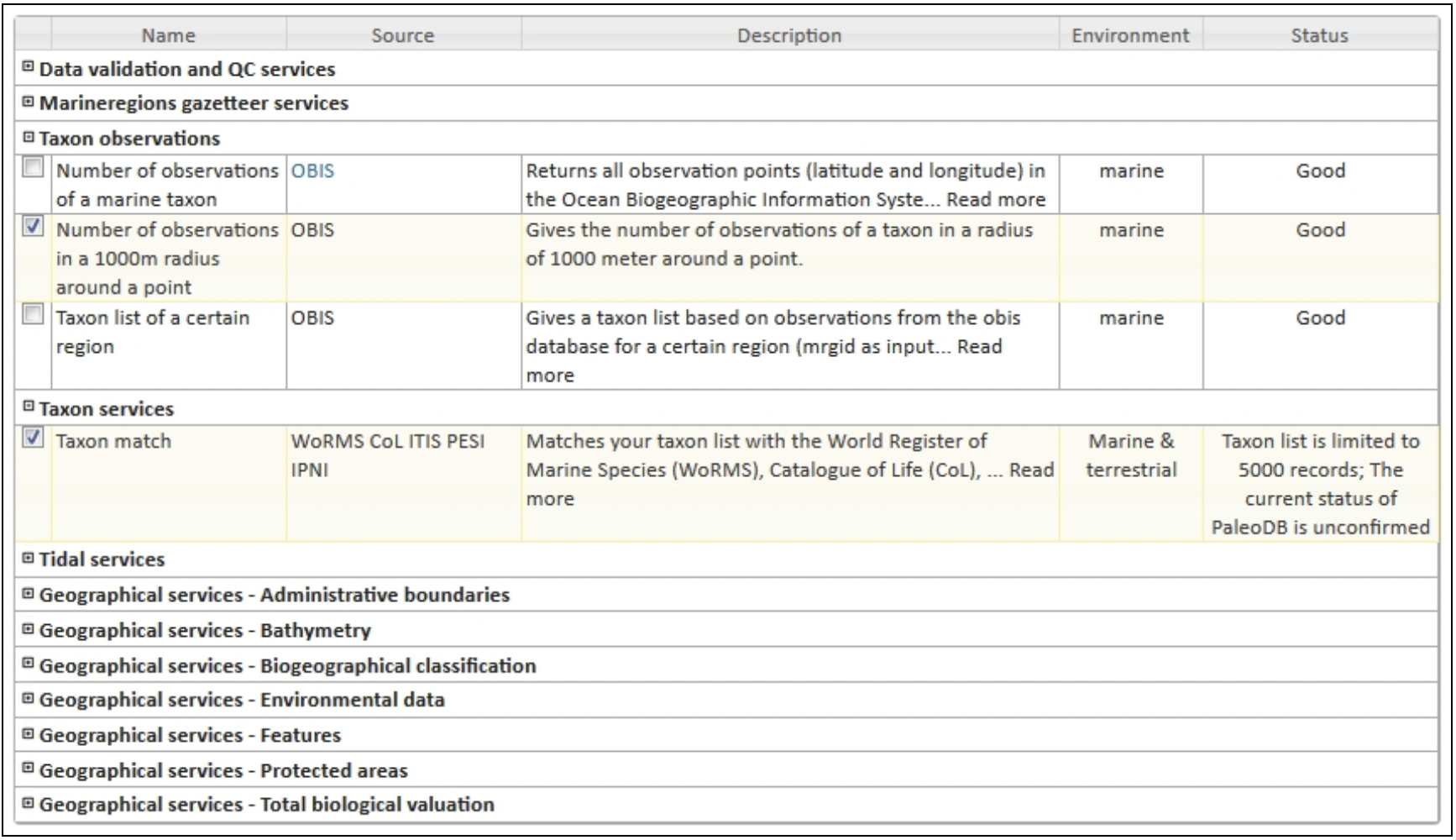
Select the required web services: 'Taxon match' and 'Number of observations in a 1000m radius around a point'.
-
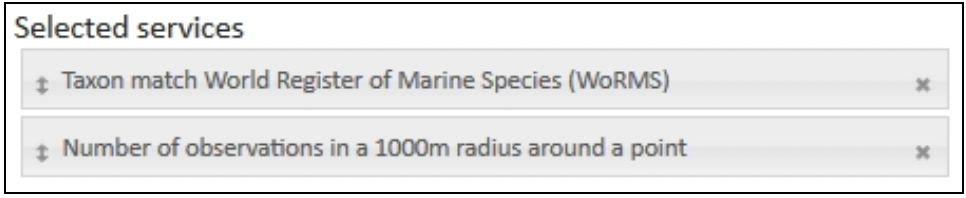
Only keep 'Taxon match World Register of Marine Species (WoRMS)', remove all other taxon matches. The order of the selected web services can be changed by dragging the grey bars with the arrows. The required web service order for this use case is (1) Taxon match World Register of Marine Species (WoRMS), (2) Number of observations in a 1000m radius around a point.
-
When you click "Next", you are redirected to the preview screen. Make sure that every column name from the uploaded file corresponds with a column name from the pick list. In this case choose 'ScientificName', 'Latitude', and 'Longitude'.
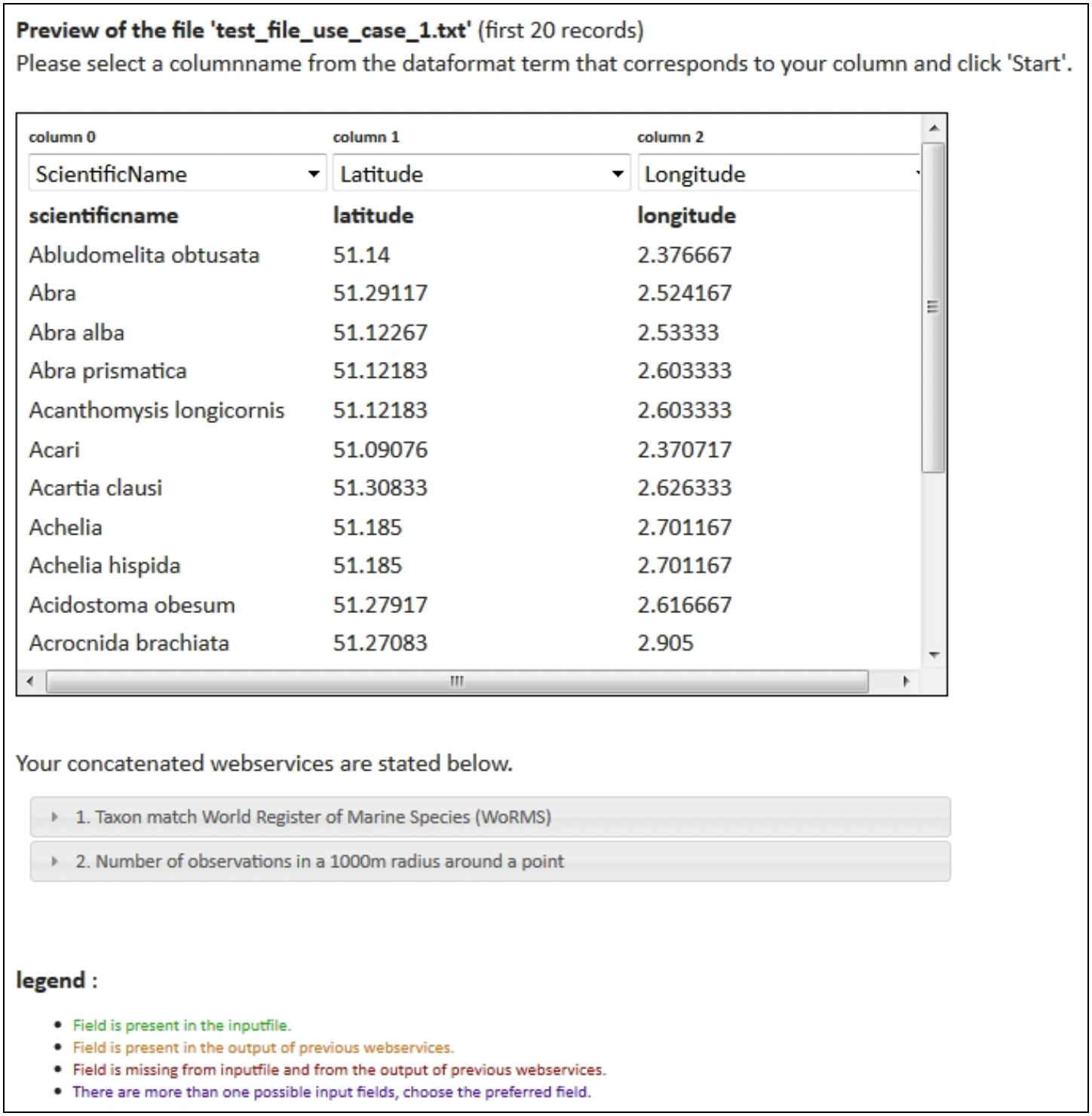
In the lower section of the preview screen, you can find information about duplicate or missing fields per requested web service. Check for every web service if the required fields are present in the input file or will be generated by a previous web service.

-
Click "Start". The following message appears:
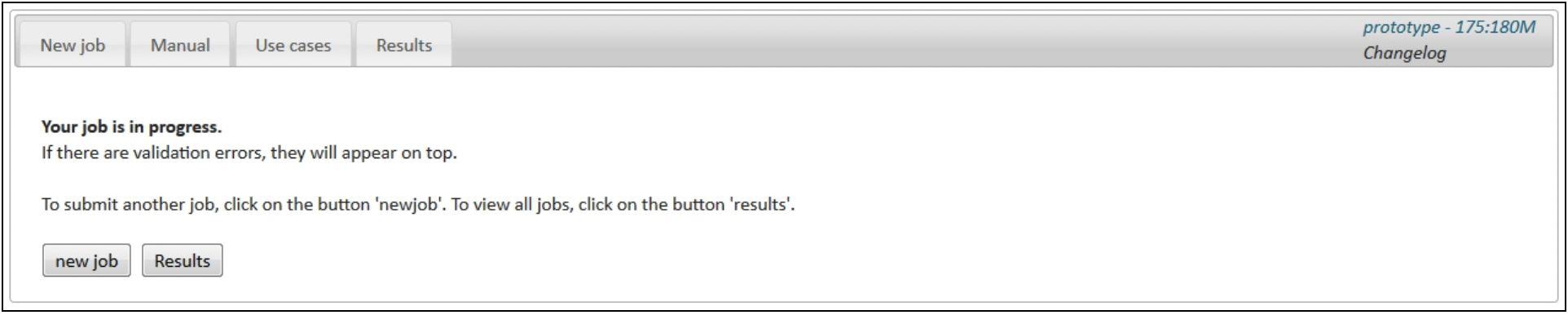
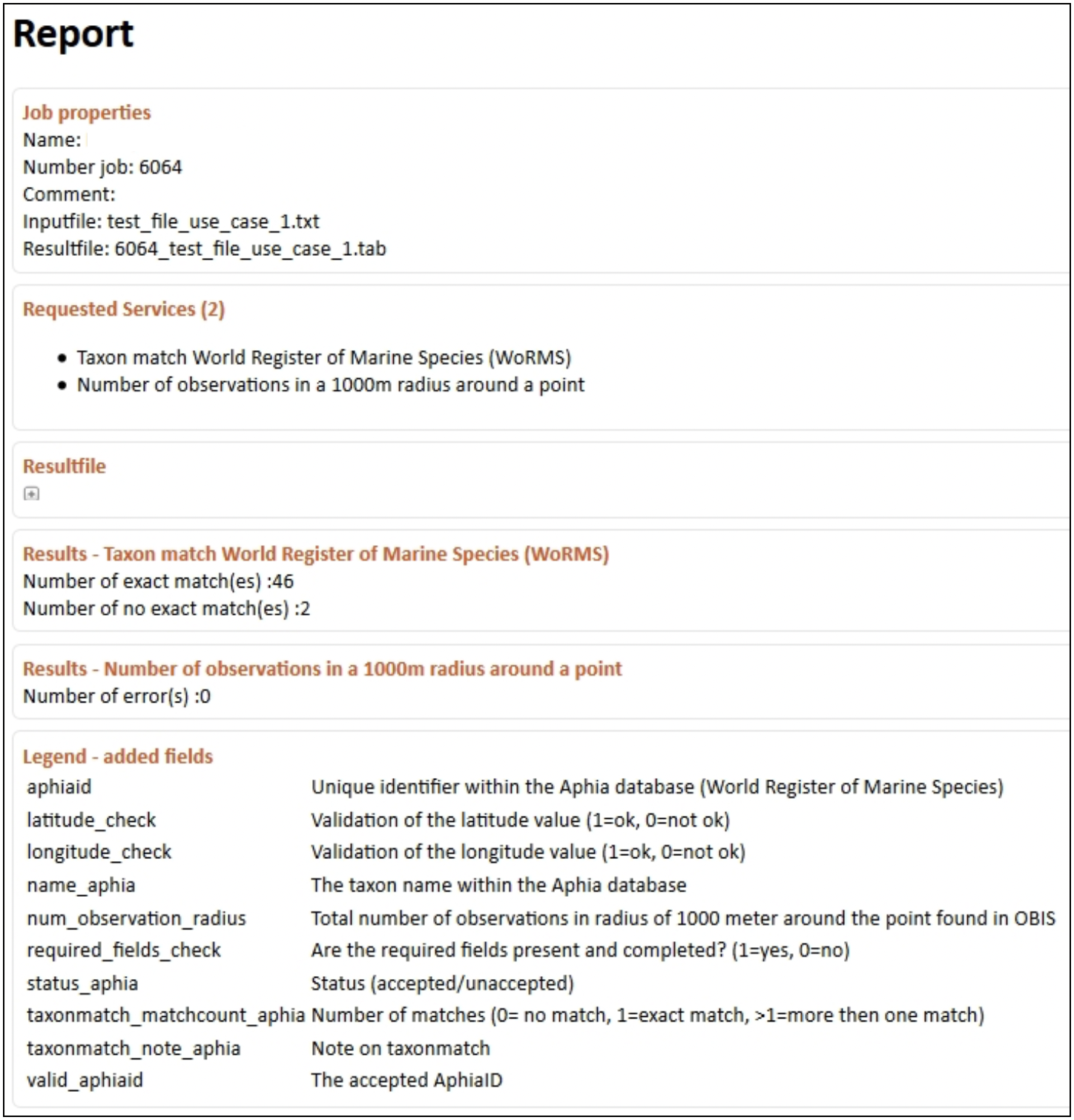
Click on "Results". Your result file will appear at the top of the results table. The result file is also available through the result report.
-
The result report gives an overview of the requested web services, the results per web service, any errors that might have occurred during the process, and a legend of the added fields in the result file.
-
-
The LifeWatch Belgium web services can be used in a concatenated way, where the output of the first web service is the input for the next web service. Check out the other three use cases at the links below.
-
This use case was developed by LifeWatch Belgium.