13. Publishing project dataset in GBIF
Section outline
-
Why Publish Your Data to GBIF?
By publishing your project dataset to GBIF (Global Biodiversity Information Facility), you turn your eDNA-based biodiversity data into publicly discoverable, reusable, and citable resources complete with a DOI.
GBIF is an international network and research infrastructure funded by the world’s governments and aimed at providinganyone, anywhere, open access to data about all types of life on Earth.
Why sequence data matters for biodiversity?
“It is important to realise that a sequence with coordinates and a timestamp is a valuable biodiversity occurrence which is useful in a much broader context than its original purpose. To realise this potential, DNA-derived data needs to be discoverable through biodiversity data platforms” — Abarenkov et al., 2025.
For detailed best practices, check out the GBIF Guidelines for Publishing DNA-Derived Data presented in Abarenkov et al. 2025.
To get started, log into PlutoF workbench and navigate through the menu (Figure 14): Main menu ➔ LABORATORIES ➔ Publishing Lab ➔ GBIF Datasets ➔ + New
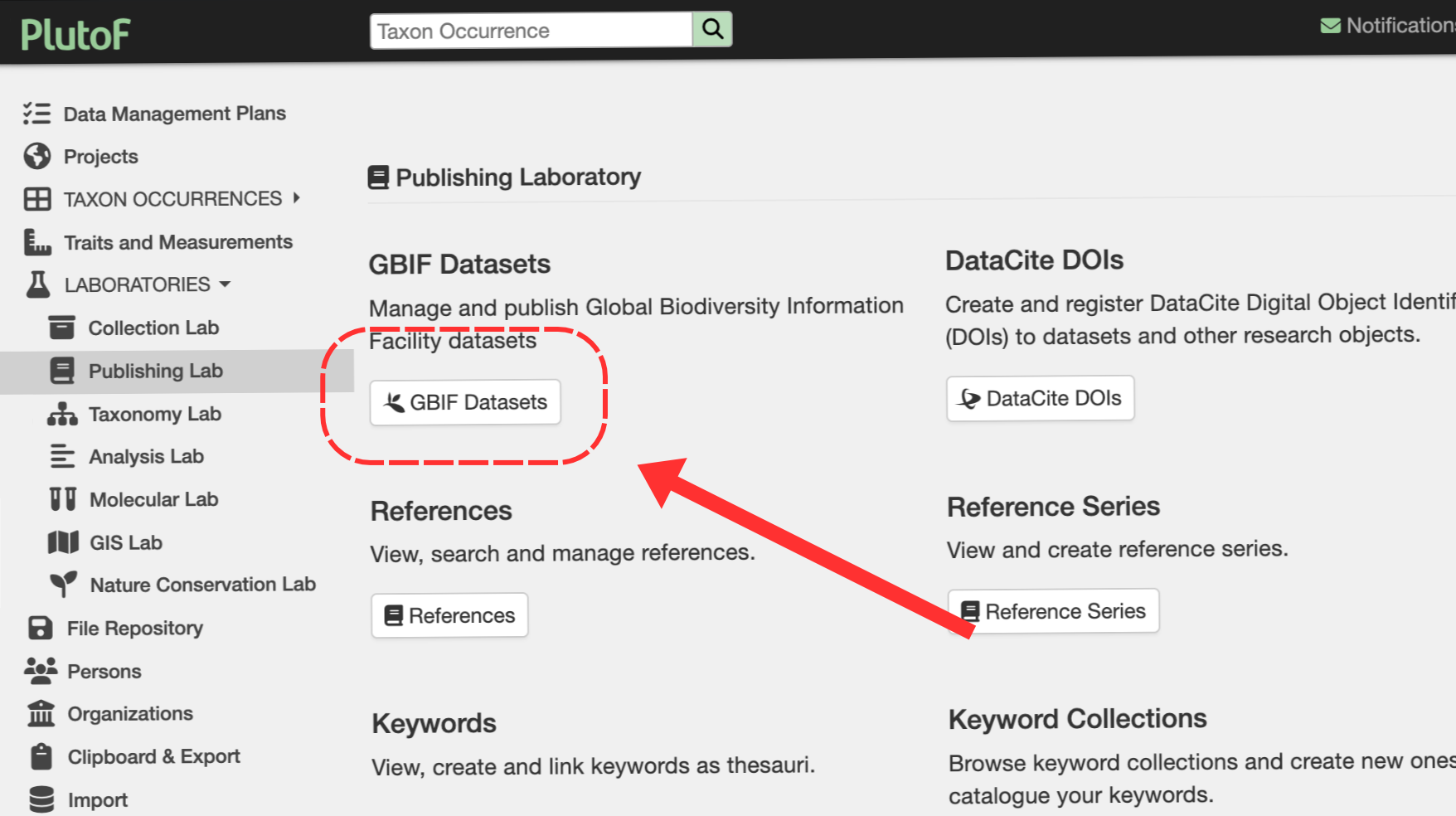
Figure 14. To manage or publish a global biodiversity dataset, click the 'GBIF Datasets' option in the main panel.
STEP 1. Create a New GBIF Dataset
Steps in PlutoF for preparing a new dataset for publication in GBIF include:
• General Metadata: Fill in all required project information.
• Logo: Upload a representative image of your project or organisation (optional).
• Project: Describe the overarching project under which the data was collected.
• Contacts: Add details for data creators, metadata providers, and general point-of-contacts.
• Bibliography: Add relevant citations from literature or online sources.
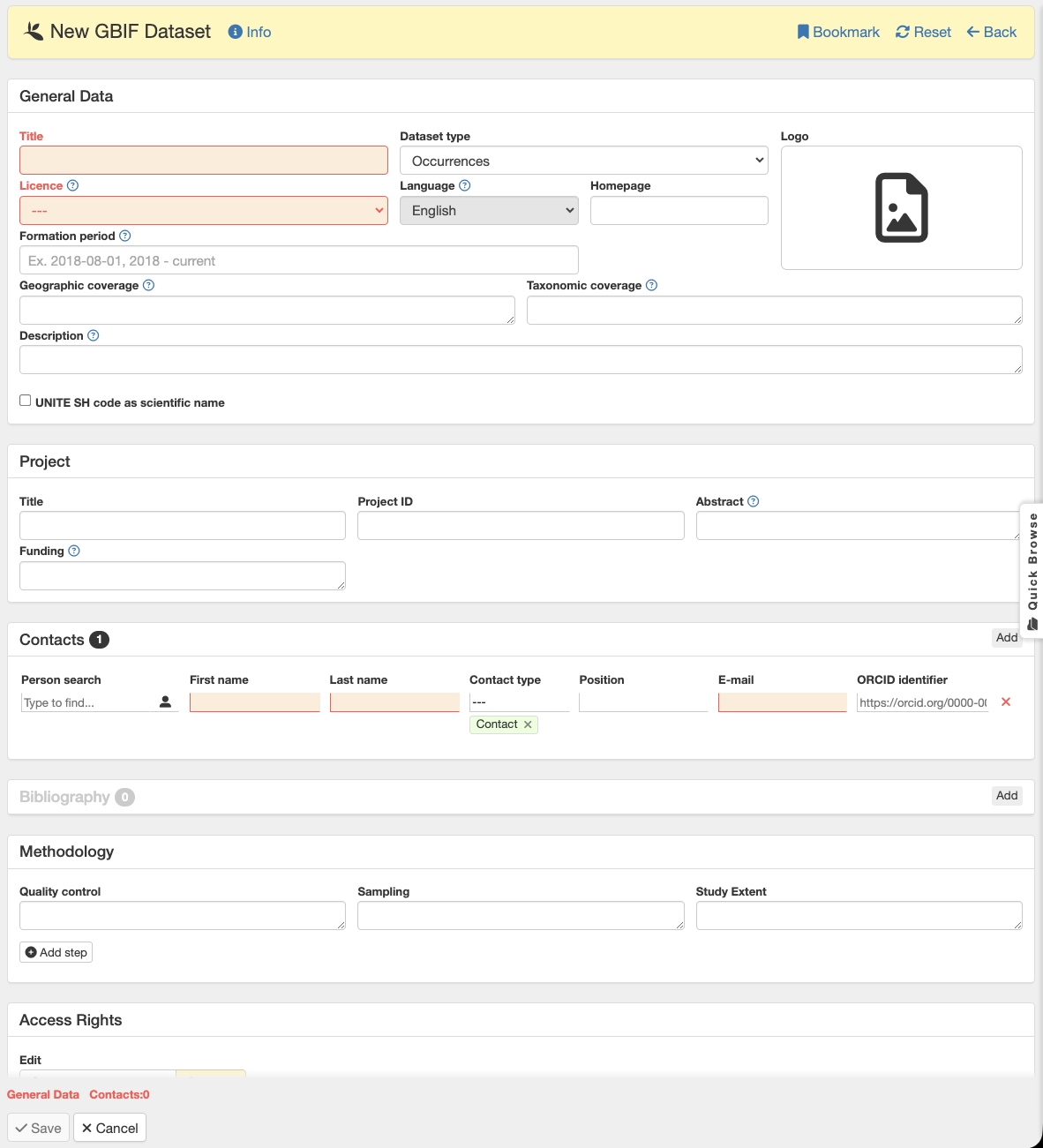
Figure 15. New GBIF dataset creation form with the mandatory metadata fields indicated in red.
STEP 2. Add Your Sequences to the Dataset
Once your dataset container is ready, link your DNA sequences using the Sequence Clipboard:
1. Open your project view and look for the Related Records: Sequences panel.
2. Click the Clipboard icon to copy your project sequences to the Sequence Clipboard (Fig. 16).
3. Navigate to the GBIF Publishing tab.
4. Use the autocomplete field to select your newly created dataset name and link the sequences (Fig. 17).

Figure 16. Copying project sequences to Sequence Clipboard.
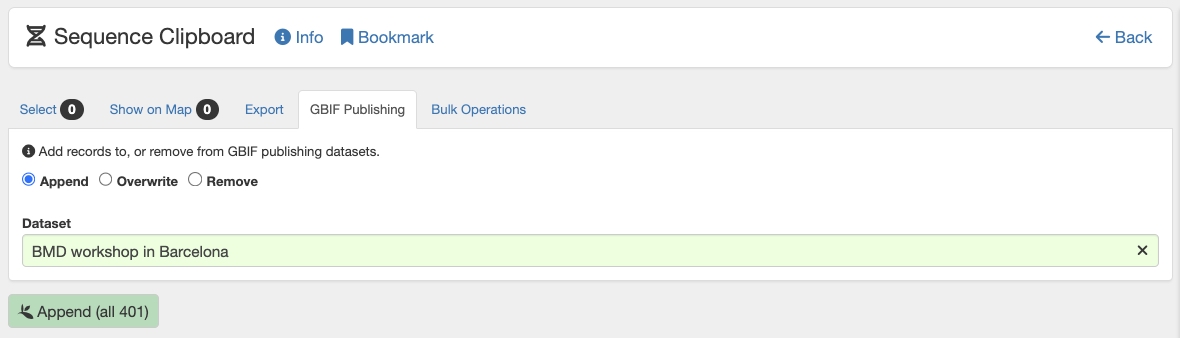
Figure 17. Associating DNA sequence records with the GBIF dataset.
STEP 3. Review and Generate Darwin Core Archive (DwCA)
Before going live, verify your data package:
1. Return to your GBIF dataset page: Main menu ➔ Publishing ➔ GBIF Datasets.
2. Select your dataset and click Generate DwCA to create the Darwin Core Archive file.
3. Go to the History panel, download the generated .zip / DwCA file, and review it to ensure all details and sequence associations are correct.
STEP 4. Publish & Get Your DOI!
Everything looks good? You're ready to publish!
1. Click the Publish to GBIF button.
2. Once published, your dataset will automatically be assigned an official GBIF DOI (Figure 18).
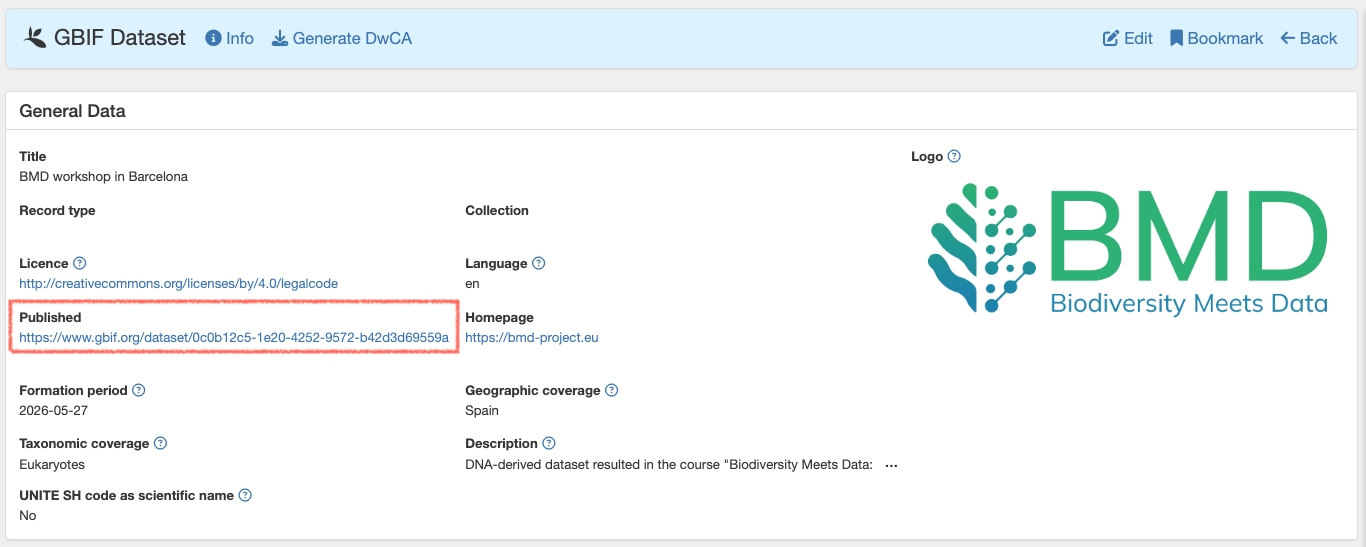
Figure 18. Dataset published to GBIF.
Congratulations! Your data is now indexed on the GBIF portal, fully citable, and available to researchers worldwide.