7. Uploading sample records to ENA/Biosamples
Section outline
-
Through the Publishing module in PlutoF, you can easily submit your sample records directly to both ENA and BioSamples databases. PlutoF acts as a bridge to ENA using its automated submission service, ensuring that your official ENA identifiers are returned and saved right alongside your original PlutoF records.
Good to know before you start:
• All samples inside your selected study will be published together as a single submission batch.
• You can re-publish your dataset at any time in the future to update sample information in ENA.
• At this stage, your samples are created as independent records. They will automatically link to a BioProject when you connect your raw sequence data in Step 8.
Steps to publish:
1. Log in to PlutoF and navigate to:
Main Menu → Laboratories → Publishing Lab → ENA Datasets → New
(Or go directly to: app.plutof.ut.ee/publishing/ena/add, Fig. 9)
2. Select your project name from the drop-down list (Note: You must have Project Moderator permissions);
3. Complete required fields filling in any missing mandatory information required by ENA;
4. Save the progress of your submission draft;
5. Submit your dataset to ENA by clicking Publish once an administrator approves your draft.
Upon successful publication, your material samples will automatically receive official ENA and BioSamples IDs.
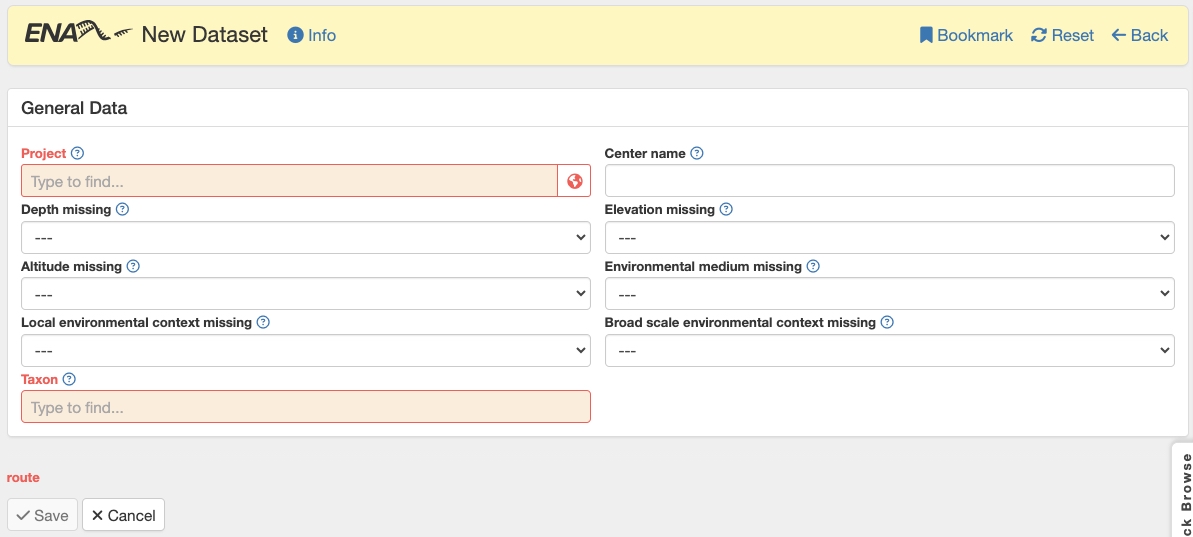
Figure 9. Creating a new dataset for publishing to ENA.