Introduction to R - Introduzione a R
R Installation
R can be installed on any OS (Windows, Linux, MAC OS) The binaries for installation can be downloaded from http://www.r-project.org/
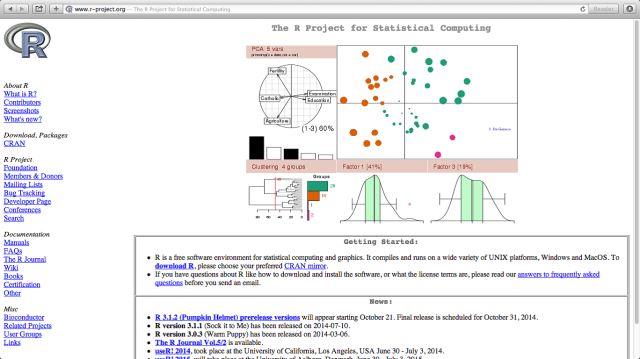
Figure 1: R web site
To install R first one goes on the left menu on the R-project web page and clicks on CRAN, there it is possible to select a mirror server (it is best to select the closest to ones current location). From the selected mirror it is possible to download all the required binaries and installation documentation. For frequently asked question the following link is useful: http://cran.mirror.garr.it/mirrors/CRAN/faqs.html
Assuming the installation of R is terminated we move to the first R session.
In our first session we are going to use features available from the base module
We'll learn:
-
- how to start and end a session,
- how to read data from a text file (or a csv)
- how to compute basic descriptive statistics
- how to handle plots
Then let's start
Installazione di R
R puó essere installato in ogni sistema operativo (Windows, Linux, MAC OS). I file di installazione possono essere scaricati da http://www.r-project.org/
Figura 1: Sito del progetto R
Per installare R, selezionare CRAN dal menu del sito di R-project, successivamente é necessario selezionare un server dal quale scaricare i file di installazione (si suggerisce di selezionare uno vicino alla propria posizione). Dal server selezionato é e possibile scaricare anche la documentazione per l'installazione. Per le domande frequenti (FAQ) si utilizza il seguente link: http://cran.mirror.garr.it/mirrors/CRAN/faqs.html
Una volta terminata l'installazione di R, si partirá con la prima sessione di R.
Nella prima sessione si utilizzeranno le risorse disponibili nel modulo base
Nello specifico, si apprenderá:
- come iniziare e terminare una sessione,
- come leggere dati da un file di testo (o un file csv),
- come effettuare statistiche descrittive di base
- come gestire i grafici
Si proceda!